From the category archives:

Apple

How To Get Ad Free Pandora For Free (Well, Sort of)

by Ryan on January 13, 2010

I didn’t know you could get ad free Pandora without paying $36 per year until I decided to BUY A SONOS. If you haven’t heard of Sonos, you’re not the only one.  I didn’t know about it until I read Jason Calacanis‘ blog and I just happened to be in the market for a home stereo at the time so I thought I would give it a shot.

Sonos Zoneplayer
-Photo: Sonos Zoneplayer

There are pro’s and con’s to my experience with Sonos to say the least, but over all it’s good…very good.  I’m a happy owner.   The biggest upside is AD-FREE PANDORA streaming throughout the house anytime we want it, and we can control it all wireless from any computer and my wife’s iPhone.  I’m not sure if the lack of ads is on purpose, or if it’s just a glitch in my household, but it’s been one whole week of music streaming in my house and I have not been served one single advertisement from Pandora (fingers crossed).  The biggest downside to the Sonos is its COMPLICATED SETUP PROCESS (I won’t bore you with it but it’s a total pain if you do not have the right router / networking hardware).

In short, Sonos is an easy way to wirelessly stream audio throughout your home and to stream music wireless to your stereo from any computer, an iPhone, and best of all, you stream the music from pretty much any music service the web – like Pandora (my personal favorite), Last.fm (not bad), Napter, Rhapsody, AM / FM Radio and even International Radio.

Here’s why I really like it…it’s affordable ($399) and the sound quality is great considering the size of the speakers (it’s as small in size and about equal in quality to a Bose wave radio).

With a Sonos, you do not need to have your own local .mp3 collection to have access to tons of streaming music (particularly Ad Free Pandora).  This is huge.  You can easily stream cloud based music services and control them in a pretty slick interface (the Sonos Desktop controller and iPhone app) and pump the music through your home.  You can wirelessly add additional Sonos speakers (called Zoneplayers) and stream audio through any numbers of rooms or even outside, wherever you have power.

At first I was skeptical because I’ve experimented with the wireless iTunes streaming capabilities of Apple’s Airtunes hooked into a home stereo.  However, there is one main problem with this approach – the need for the following items / abilities:

1.  Local set of music (i.e. huge local library of content on your computer’s hard drive or an external hard drive, which are prone to failure over time), and

2.  The inability for AirTunes to stream music services (other than your local .mp3/CD collection) though AirTunes. This issue may one day be solved with LaLa Airtunes integration, but for now, it remains an outstanding issue and Sonos solves this problem by enabling streaming of pretty much every web / cloud based music service out there.

APPLE SHOULD ACQUIRE SONOS

Given my experience with Sonos, the company seems ripe for an acquisition by Apple one day. If Apples want to gain market position in home entertainment and compete with Microsoft’s Xbox and Sony’s Playstation, then this acquisition makes a lof of sense.  The only issue being that I am not sure Apple has ever acquired another hardware manufacturer before; there’s always a first time for everything right?.   The Sonos product line is already designed to look just like Apple’s products – white and minimalist.  Perhaps it was designed this way intentionally by the folks at Sonos to set themselves up for a potential Apple partnership one day?  I think Apple should acquire them, work out the networking bugs, and push the Sonos to Apple fans as a home entertainment/ streaming music solution.  Sonos would fit well into Apple’s present product offering.

Share This With Your Friends & Colleagues:
  • Facebook
  • Twitter
  • LinkedIn
  • del.icio.us
  • Digg
  • MySpace
  • Posterous
  • Reddit
  • StumbleUpon
  • Suggest to Techmeme via Twitter
  • Technorati
  • Tumblr
  • Yahoo! Buzz
  • email
  • Print

{ Comments }

Put Your Music In The Cloud | Try Posterous

by Ryan on December 30, 2009

Posterous Pictures, Images and Photos

Upload your music to LaLa – now!  I have had about 100 GB of music on an external hard drive for about 3.5 years now.  The problem with having all your music on drive (beside the potential for drive failure / data loss) is that you must have the drive around (or remote access to your machine) to listen to the tunes.  I decided a while back on backing up my entire hard drive to a personal Amazon S3 account (and if you’re a PC user, you can use this free S3 backup program for doing so).  But even direct cloud backup doesn’t solve the playback issue because you must map your iTunes library to your cloud drive, which can be accomplished with services like JungleDisk (which I don’t recommend because it’s clunky and costly).  Anyways, the solution is LaLa, which is now owned by Apple.  Upload your music to LaLa for free, and stream your entire .mp3 collection from any computer, any time, without the worries of hard drive failure and loss of data.  Your tracks will forever reside on LaLa’s servers and Apple will float the storage and backup bills for you.  You’ll be happy you did it.

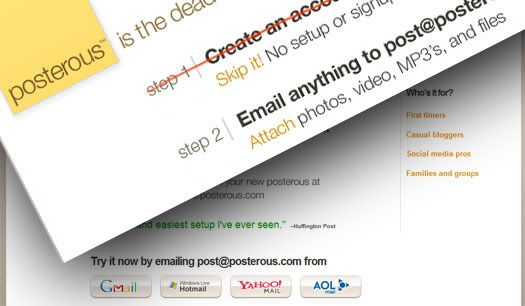
If you like blogging, or want to try blogging, I highly recommend Posterous.  It’s a dead simple way of blogging.   In short, you can email any media (text, photos, video, audio, etc.)  into posterous and and it will post to your posterous blog.  You can also set it up to auto-post to a self hosted WordPress blog, Twitter, Facebook, and pretty much any social media outlet under the sun.  At first I thought it was just another over hyped service that I didn’t need because one post photos and video to a blog via email through Flickr.  In addition to Flickr email to blog posting, WordPress has it’s own built in functionality that allows you to make new posts to a WordPress blog via email, but when I went to test out WordPress’ email option, I couldn’t get it to work.  WordPress is great, but this one little feature is not so great and it’s malfunction is the sole reason that I discovered Posterous.  While I had demo’d Posterous (and Tumblr) in the past, I had no use for the service until I ran into the “post to wordpress via email” problem, which Posterous easily resolved.  By setting up a Posterous account and inputting my blog URL and login creds, I am now easily able to create new posts on the fly, via email.  Posterous is slick.

Share This With Your Friends & Colleagues:
  • Facebook
  • Twitter
  • LinkedIn
  • del.icio.us
  • Digg
  • MySpace
  • Posterous
  • Reddit
  • StumbleUpon
  • Suggest to Techmeme via Twitter
  • Technorati
  • Tumblr
  • Yahoo! Buzz
  • email
  • Print

{ Comments }

Apple’s Wireless Router Versus Cisco’s Linksys

by Ryan on October 7, 2007

Why is it that Apple’s wireless AirPort Express and the new AirPort Extreme Base Station work with my PC running XP SP2 far better than Linksys routers, made be Cisco? As an avid PC fan over Mac, I am confused to have to admit that Apple makes wireless routers and other periferals that actually work and are easy to set up (no need for a CD install or even a CD drive the way all hardware and software set up should be) while the PC periferal makers seem to be in the paperweight manufacturing business. A bit scary…my loyalties may be shifting.

Share This With Your Friends & Colleagues:
  • Facebook
  • Twitter
  • LinkedIn
  • del.icio.us
  • Digg
  • MySpace
  • Posterous
  • Reddit
  • StumbleUpon
  • Suggest to Techmeme via Twitter
  • Technorati
  • Tumblr
  • Yahoo! Buzz
  • email
  • Print

{ Comments }